


2MP Digital Microscope Imager
2MP Digital Microscope Imager
Item #: 44423
In stock









Couldn't load pickup availability
Free Ground Shipping! Contiguous USA only
30-Day Returns
2-Year Warranty
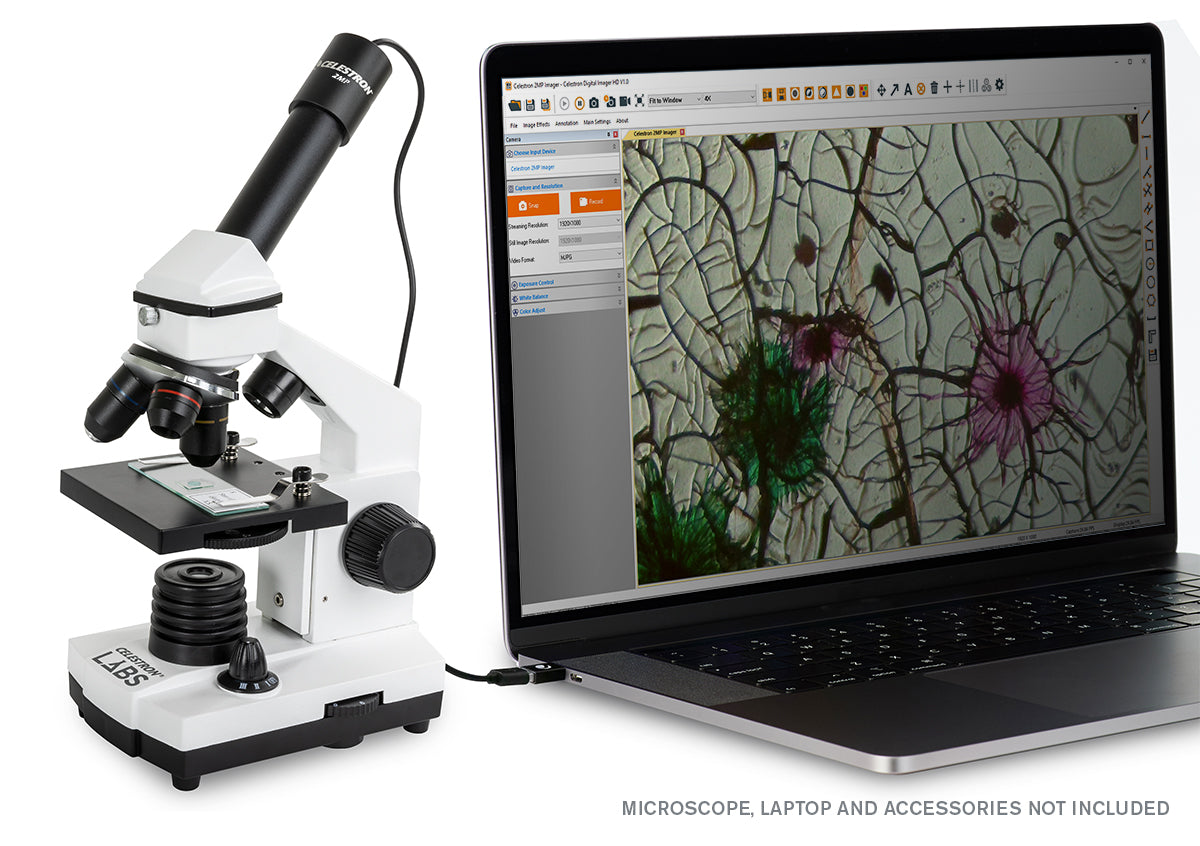
- 2MP CMOS imaging sensor turns your traditional microscope into a digital microscope
- Works with any microscope that accepts 23mm or 30mm eyepieces
- Captures high-resolution still images and 30 fps video, which you can save directly to your Mac or Windows PC
- Connects to your computer via USB
- Includes NEW Celestron Digital Imager HD software with enhanced features like measurement, calibration, note-taking, and more
Specifications
Specifications
| General | |
|---|---|
| Sensor: | 2MP CMOS |
| Sensor Size: | 1/2.9" |
| Resolution: | 192H x 1080V |
| Pixel Size: | 2.8μm |
| Power Standard: | 2.0 USB (Connected to PC) - Cord Length 1.5m (4.93') |
| Video Format - Streaming: | MJPEG: 30fps |
| Video Format - Recording: | MJPEG: 30fps |
| Shutter Trigger: | In Software |
| Software: | Celestron Digital Imager HD Software |
| Control Software Operating System: | Windows 7.1 to Windows 11 Mac OSX 10.9 (Mavericks) and up |
| Accessories: | (1) Aluminum collar adapter for 30mm stereo scope eyepiece tube |
| Weight: | 3.4 oz (97 g) |
| Dimensions: | 61.8mm x 30mm x 30mm (2.43" x 1.18" x 1.18") |
| Additional Information | |
| California Prop 65 |

WARNING: Cancer and Reproductive Harm - www.P65Warnings.ca.gov |


Customers Also Purchased
-
-
100 Piece Prepared Microscope Slide Kit
Regular price $89.95Regular price -
-
 Out of Stock


Turn your traditional microscope into a digital microscope with the Celestron 2MP Digital Microscope Imager. It’s the perfect tool to capture high-resolution images and 30 fps video and save those files directly to your computer. With a rugged aluminum housing, this imager can withstand tough use in any classroom or lab. To get started, simply replace your microscope eyepiece with the imager, connect to the computer via USB, and launch the Celestron Digital Imager HD software.
The imager works in full 2-megapixel resolution with Windows (PC) and Apple computers. The imager’s new and improved software offers advanced features that researchers will appreciate. Note-taking mode lets you highlight areas of your specimen for use in reports or presentations.
Compatibility List
| Compatible | |
|---|---|
| Windows | Windows 7.1 to Windows 11 |
| Mac OS | Mac OSX 10.9 (Mavericks) to 13 (Ventura) |
Q:
Which software should I download?
Which software should I download?
To make sure we are providing the best experience for our customers; we occasionally make slight changes to the products we sell. In this case, we have made a component change in the electronics and upgraded the software for the 44423 2MP Digital Imager. To make sure you download the correct software for your model, first identify if you have the OLD or NEW design using the guide below.
OLD DESIGN

NEW DESIGN

If you have the new design, download the Celestron Digital Imager HD.
If you have the old design, download the S-Viewer software
*NOTE: Be sure to choose the correct software for your operating system- Mac or Windows.