


StarSense AutoAlign V2
StarSense AutoAlign V2
Item #: 94034
In stock









Couldn't load pickup availability
Free Ground Shipping! Contiguous USA only
30-Day Returns
2-Year Warranty
- AUTOMATIC TELESCOPE ALIGNMENT: Automatically aligns compatible Celestron computerized telescopes in minutes using advanced plate-solving technology.
- FAST, AUTOMATIC SKY RECOGNITION: Sony IMX462LLR-C monochrome CMOS sensor and a powerful integrated computer quickly capture and analyze star fields for fast, accurate automatic telescope alignment.
- PRECISE GOTO FUNCTIONALITY: Places celestial objects near the center of your eyepiece or imaging sensor after slews.
- ADVANCED POLAR ALIGNMENT ASSISTANCE: Helps accurately polar align compatible equatorial mounts and alt-azimuth mounts on a wedge without requiring visibility of Polaris.
- MULTIPLE CONTROL OPTIONS: Compatible with the NexStar+ hand control, the SkyPortal Powered by SkySafari™ app, and free CPWI telescope control software.
- MODERN USB-C CONNECTIVITY: USB-C connection supports Live View, diagnostics, and direct firmware updates.
- BROAD CELESTRON COMPATIBILITY: Includes large and small mounting brackets and works with many popular Celestron computerized equatorial and alt-azimuth mounts.
Specifications
Specifications
| General | |
|---|---|
| Lens Design: | Air-spaced Doublet |
| Aperture: | 20mm (0.78") |
| Focal Length: | 40mm (1.57") |
| Focal Ratio: | f/2 |
| Number of Elements: | 2 |
| Coatings: | Fully Multi-Coated |
| CMOS Image Sensor: | Sony IMX462LLR-C, monochrome, back-illuminated |
| Sensor Size: | 6.46mm diagonal |
| Pixel Size: | 2.9μm x 2.9μm |
| Number of effective pixels: | 2.13M |
| Onboard computer: | Integrated Computer-On-Module |
| Primary Arm® core: | 2x Cortex® -A53 up to 1.4 GHz |
| Secondary Arm® core: | 1x Cortex-M7 up to 600 MHz |
| RAM: | 512 MB |
| ROM: | 4 GB |
| GPU: | GC7000UltraLite |
| Ports: | AUX and USB-C |
| AUX: | For connection to Celestron mounts |
| USB-C: | For PC connection for live view, USB 3.1 |
| Housing: | Aluminum with plastic covers |
| Weight: | 1lb (453.6 g) |
| Dimensions: | 109.22mm x 81.28mm x 121.92mm (4.3" x 3.2" x 4.8") |
| Additional Information | |
| California Prop 65 |

WARNING: Cancer and Reproductive Harm - www.P65Warnings.ca.gov |


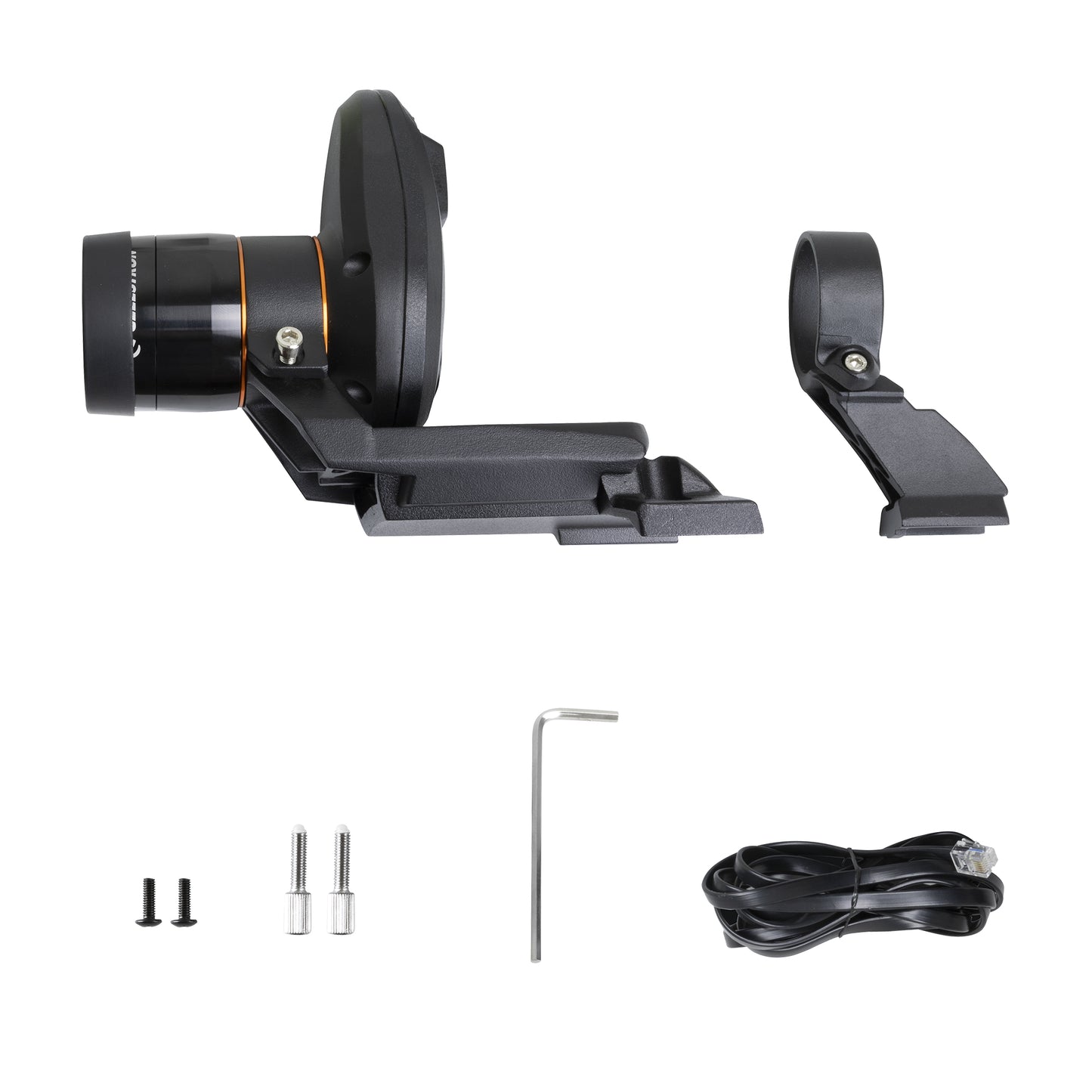
Included Celestron Technologies


Customers Also Purchased
-
 Out of Stock
PowerTank Glow 5000
Regular price $44.95Regular price -
-
NexGO Universal Smartphone Adapter
Regular price $41.95Regular price -
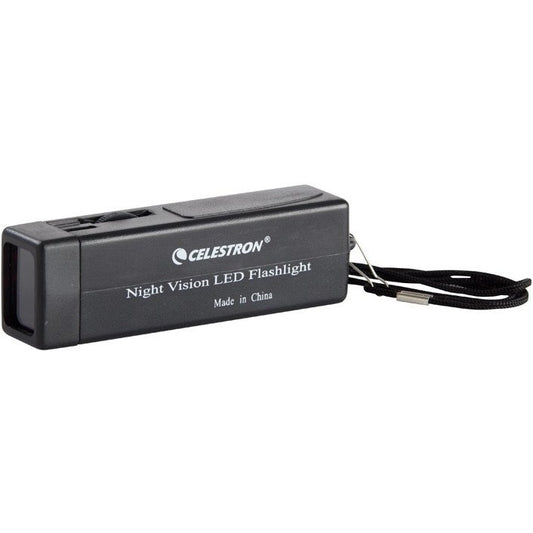 Out of Stock


Spend less time setting up and more time observing with StarSense AutoAlign V2, the next-generation automatic alignment accessory for compatible Celestron computerized telescopes. Designed for both beginners and experienced observers, StarSense AutoAlign V2 removes one of the biggest frustrations in astronomy: manually aligning your telescope to the night sky.
Using advanced plate-solving technology and a highly sensitive Sony IMX462LLR-C monochrome image sensor, StarSense AutoAlign V2 automatically captures and analyzes images of the night sky to calculate your telescope’s precise position. In just a few minutes, your telescope is aligned and ready to accurately locate and track celestial objects across the sky, without requiring you to identify or center alignment stars.
Precise GoTo: Improved Accuracy Across the Sky
Once alignment is complete, StarSense AutoAlign V2 improves GoTo accuracy by refining your telescope’s pointing precision and placing objects near the center of your eyepiece or imaging sensor. Whether you’re observing planets, nebulae, galaxies, or star clusters, setup becomes faster, easier, and more reliable.
Automatic fine corrections after slews help maintain more accurate object placement throughout the night, improving both visual observing and imaging workflows.
Polar Alignment Assistance for Imaging
StarSense AutoAlign V2 also includes advanced polar alignment assistance for compatible equatorial mounts and alt-azimuth mounts used on a wedge. Unlike traditional polar alignment methods, StarSense AutoAlign V2 can help you achieve accurate alignment without a direct view of Polaris, making it especially useful for obstructed observing locations or backyard astrophotography setups.
This streamlined workflow helps astrophotographers achieve fast and accurate mount setup with fewer manual adjustments.
Modern Hardware & USB-C Connectivity
The updated V2 hardware features a powerful onboard computer that performs alignment calculations directly within the accessory. A USB-C connection adds expanded functionality, including Live View for focusing, downloading of diagnostic logs, and direct firmware updates.
The highly sensitive Sony IMX462LLR-C back-illuminated monochrome CMOS sensor works with fast f/2 optics to quickly recognize star fields and maintain reliable alignment across a wide range of observing conditions.
Flexible Control Options
Control StarSense AutoAlign V2 using the method that works best for your setup. Operate the system with your NexStar+ hand control, the free Celestron CPWI telescope control software for Windows, or the SkyPortal Powered by SkySafari™ app with compatible WiFi-enabled mounts or the SkyPortal WiFi Module (sold separately).
Broad Compatibility with Celestron Mounts
StarSense AutoAlign V2 is compatible with many Celestron computerized equatorial or alt-azimuth mounts, including Advanced VX, CGX, CGX-L, CGEM II, NexStar Evolution, NexStar SE, CPC, and CPC DX.
| Compatible | |
|---|---|
| Advanced VX | CGX-L |
| CPC, CPC DX | NexStar Evolution |
| NexStar 6SE & 8SE telescopes | CGEM II |
| CGX | CGEM / CGEM DX |
| CGE Pro | |
| Not Compatible | |
|---|---|
|
NexStar SLT |
Astro Fi |
|
SkyProdigy |
LCM series |
| NexStar 4SE & NexStar 5SE | Advanced CG-5 GT |
The included large and small mounting brackets make it easy to attach StarSense AutoAlign V2 to many compatible Celestron optical tubes right out of the box.
Faster Setup for Every Observer
Whether you’re a beginner looking for a simpler observing experience or an experienced astrophotographer building a more efficient workflow, StarSense AutoAlign V2 delivers faster setup, improved pointing accuracy, and a more streamlined night under the stars.
Suggested Accessories
Categories
Q:
My mount has a port labeled “Autoguider” (i.e., the ST-4 port). Can I plug StarSense AutoAlign V2 into it?
My mount has a port labeled “Autoguider” (i.e., the ST-4 port). Can I plug StarSense AutoAlign V2 into it?
No! StarSense AutoAlign V2 connects to the mount’s AUX port. The autoguider port is not compatible with SSAAv2. If you need additional AUX ports for your mount, purchase the AUX Port Splitter (#93919). You can also use the port labeled “hand control”; it behaves as another AUX port.
Q:
After I power on my mount, it does not appear that the hand control has “found” StarSense AutoAlign V2, as I do not see AutoAlign as an option. What should I do?
After I power on my mount, it does not appear that the hand control has “found” StarSense AutoAlign V2, as I do not see AutoAlign as an option. What should I do?
Occasionally, the hand control may not immediately find StarSense AutoAlign V2. If this happens, you can use the MENU>Seek Accessories command in the hand control to find StarSense AutoAlign V2. You can also try power cycling the mount and StarSense AutoAlign V2. When both devices restart, the hand control should recognize StarSense AutoAlign V2.
Q:
Which user interface works best with StarSense AutoAlign V2 — the NexStar+ hand control, a PC running CPWI, or a smartphone running the SkyPortal app?
Which user interface works best with StarSense AutoAlign V2 — the NexStar+ hand control, a PC running CPWI, or a smartphone running the SkyPortal app?
While all user interfaces work well, you may get slightly better pointing accuracy with SkyPortal and CPWI, since they support multi-point mount modeling. The intuitive planetarium interface and convenience of using your smartphone make SkyPortal an excellent choice.
Q:
Can I use StarSense AutoAlign V2 to find and center the Sun in my telescope?
Can I use StarSense AutoAlign V2 to find and center the Sun in my telescope?
DO NOT POINT THE STARSENSE AUTOALIGN V2 AT THE SUN UNDER ANY CIRCUMSTANCES! The intense and focused light from the Sun will damage the camera’s sensor. You cannot use StarSense AutoAlign V2 during the day because it relies on detecting star patterns overhead.
Q:
My StarSense AutoAlign V2 sometimes has trouble finding and centering the Moon. Is this normal?
My StarSense AutoAlign V2 sometimes has trouble finding and centering the Moon. Is this normal?
StarSense AutoAlign V2 uses star positions and plate-solving to determine its pointing position. When the Moon is very bright, and StarSense AutoAlign V2 is pointing nearby, the Moon’s glare can prevent StarSense AutoAlign V2 from detecting enough stars to determine its location. If the Moon is in half to full phase, StarSense AutoAlign V2 may be unable to find and center it. A bright Moon may also affect StarSense AutoAlign V2’s performance in the sky surrounding the Moon. Hazy conditions can compound the issue because the Moon illuminates the haze, further obscuring the stars.
Q:
Should I be concerned about dew forming on StarSense AutoAlign V2’s lens?
Should I be concerned about dew forming on StarSense AutoAlign V2’s lens?
In testing, we have found that dew does not form on StarSense AutoAlign V2’s objective lens, even in fairly heavy dew conditions. This is because StarSense AutoAlign V2 has a lens shade that also functions as a dew shield, and the internal heat generated by the electronics also prevents dew formation.
Q:
I am using the SkySync GPS with StarSense AutoAlign V2. But the hand control still prompts me to enter my location/time/date. Shouldn’t the SkySync GPS handle this automatically?
I am using the SkySync GPS with StarSense AutoAlign V2. But the hand control still prompts me to enter my location/time/date. Shouldn’t the SkySync GPS handle this automatically?
The SkySync GPS is fully compatible with StarSense AutoAlign V2, but for it to work, you must first enable the GPS option in the hand control. Press the MENU button on the hand control and scroll to the Utility menu. Select “GPS ON/OFF” from the Utility menu, choose “ON,” and press ENTER.
Q:
I am using Celestron CPWI software for sky alignment. I chose the StarSense Alignment option, then chose “Manual Slewing.” It seems that the process of adding alignment references never automatically stops. How do I know when my alignment is sufficient?
I am using Celestron CPWI software for sky alignment. I chose the StarSense Alignment option, then chose “Manual Slewing.” It seems that the process of adding alignment references never automatically stops. How do I know when my alignment is sufficient?
CPWI allows you to add as many alignment references as you want, so it won’t automatically quit in this mode. Follow the on-screen suggestions in the Alignment Window for the best results. We recommend adding at least three or four alignment references (spaced evenly across the sky) before selecting “Cancel” to exit.
Q:
I see no Quick Align option for StarSense Alignment in Celestron CPWI software. I know Quick Align does not generally provide good pointing accuracy, but it is sometimes convenient, like when searching for planets in twilight. Is there a Quick Align option?
I see no Quick Align option for StarSense Alignment in Celestron CPWI software. I know Quick Align does not generally provide good pointing accuracy, but it is sometimes convenient, like when searching for planets in twilight. Is there a Quick Align option?
Although there is no specific Quick Align option in CPWI, you can perform a Quick Align using the Manual Slewing option. Start with your telescope in the initial position as prompted (i.e., home position and polar aligned for EQ mounts or level and North for AZ mounts). Choose StarSense Alignment>Manual Slewing and then select “Cancel” to exit the routine without adding any alignment references.
Q:
I am using the web browser interface to update StarSense AutoAlign V2’s firmware via USB-C with the .swu file. After updating, the screen displays “Fetching Status” endlessly. How do I complete the firmware update and confirm the version number?
I am using the web browser interface to update StarSense AutoAlign V2’s firmware via USB-C with the .swu file. After updating, the screen displays “Fetching Status” endlessly. How do I complete the firmware update and confirm the version number?
When you reach this screen, StarSense AutoAlign V2’s firmware has successfully updated. To confirm the version number, click the “Software Update” back arrow at the top left of the screen and then reload the page in your web browser. The StarSense AutoAlign V2 should then report the updated version number.
Q:
I have an older StarSense hand control, can I use that with StarSense AutoAlign V2?
I have an older StarSense hand control, can I use that with StarSense AutoAlign V2?
No, the StarSense hand control is not compatible with the StarSense AutoAlign V2. Use the NexStar+ hand control that came with your telescope mount.
Q:
I’m trying to update my firmware using a Mac computer. I see that a Windows driver is available and required for firmware updates. Is there an equivalent macOS driver?
I’m trying to update my firmware using a Mac computer. I see that a Windows driver is available and required for firmware updates. Is there an equivalent macOS driver?
Currently, there is no macOS driver available, so you'll need to use a compatible Windows PC for firmware updates. Our team is working on a macOS driver, which we expect to release by Fall 2026.